
Canva Create 2026: The Updates Small Business Owners Actually Need to Know About

If you use Canva to run your business, this week was a big deal. Canva held its annual Canva Create event in Los Angeles on April 16, and the announcements were not small tweaks. We're talking about Canva AI 2.0, offline mode, a reimagined email marketing workflow, and a new print shop, all rolled out at once.
As a Canva template membership designed specifically for online business owners, coaches, and social media managers, Your Template Club is keeping a very close eye on everything Canva launches. Because when Canva gets better, creating content for your business gets easier. And that's kind of the whole point.
Here's a breakdown of the biggest Canva Create 2026 updates and why they matter for you.
Want to try a FREE Canva template?
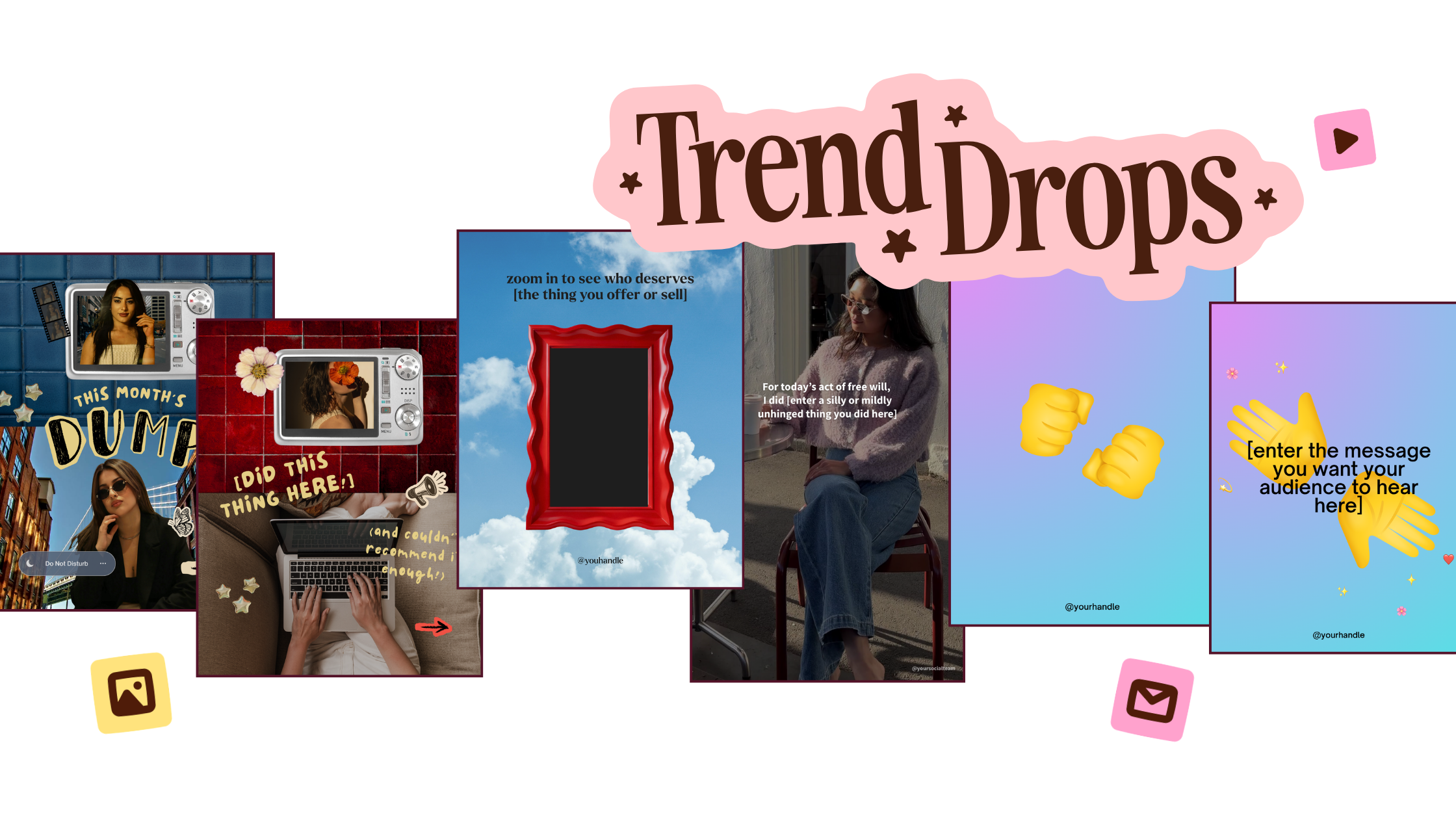
Grab the latest Canva Template from inside of Your Template Club “Trend Drops” so you can test out these timely, viral, trend templates for your business!
Canva AI 2.0: Design by Describing What You Want
The biggest announcement from Canva Create 2026 was Canva AI 2.0, and it goes way beyond a chatbot. Canva is calling it the world's first foundation model built for creativity, and what that actually means in practice is this: you describe what you need in plain language, and Canva builds it. Layout, structure, brand colors, all of it applied from the start.
The new Conversational Design feature lets you describe an idea and get back a fully editable design. Not a blank canvas, not a prompt to search templates. An actual design, ready to customize.

There's also Agentic Orchestration, which sounds very techy but translates to: give Canva a goal, and it figures out which tools to use and runs them for you. Need a full week of social content? Describe it once. Canva AI handles the formats, the layouts, and the coordination.
Object-Based Intelligence means you can ask it to change one specific thing, and only that thing changes. Swap a headline. Adjust an image. Tweak a font. Nothing else gets touched.
For small business owners who are already using Canva to create content, this is a meaningful upgrade. Less time starting from scratch, more time actually posting.
Brand Intelligence: Every Design Starts On-Brand
One of the most practical updates in Canva AI 2.0 is Brand Intelligence. Connect your brand template once, and Canva AI automatically applies your fonts, colors, and style to every design from the very first output.
No more manually swapping brand colors every single time you open a new template. No more accidentally using the wrong font. Brand Intelligence makes sure your content looks like you, without the extra steps.
This pairs beautifully with the Your Template Club library. When you grab a Trend Drop or a Monthly Content Pack and start customizing, Brand Intelligence can handle the swapping automatically. Your templates, your colors, your brand, every time.
Scheduling and Automation: Canva Runs Tasks in the Background
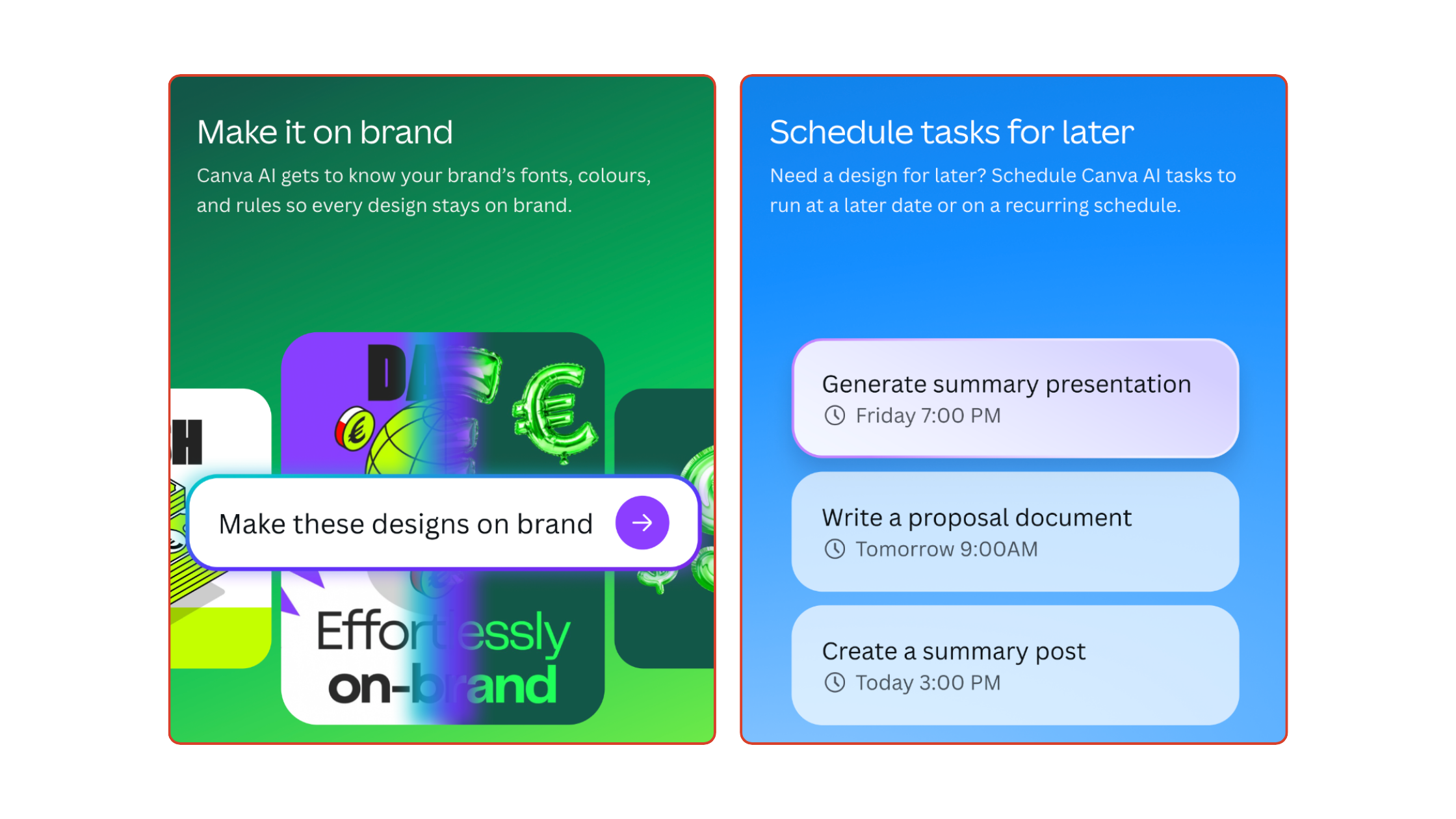
Canva AI 2.0 also introduces Scheduling, which means you can set recurring tasks and let Canva run them automatically, even while you're offline. Think: generate a full batch of social content every Friday, or pull together a weekly summary document without lifting a finger.
For the business owner who batch-creates content, this is huge. You set the workflow once and let it run. Canva becomes less of a tool you open and more of a system that runs in the background.
AI Connectors take this even further, pulling data from Slack, Gmail, Google Drive, and Google Calendar directly into your Canva workflow. Generate newsletter content from your inbox. Turn calendar events into briefing documents. Create content that's actually informed by what's happening in your business.
The Canva Flodesk Integration: Email Marketing, Simplified
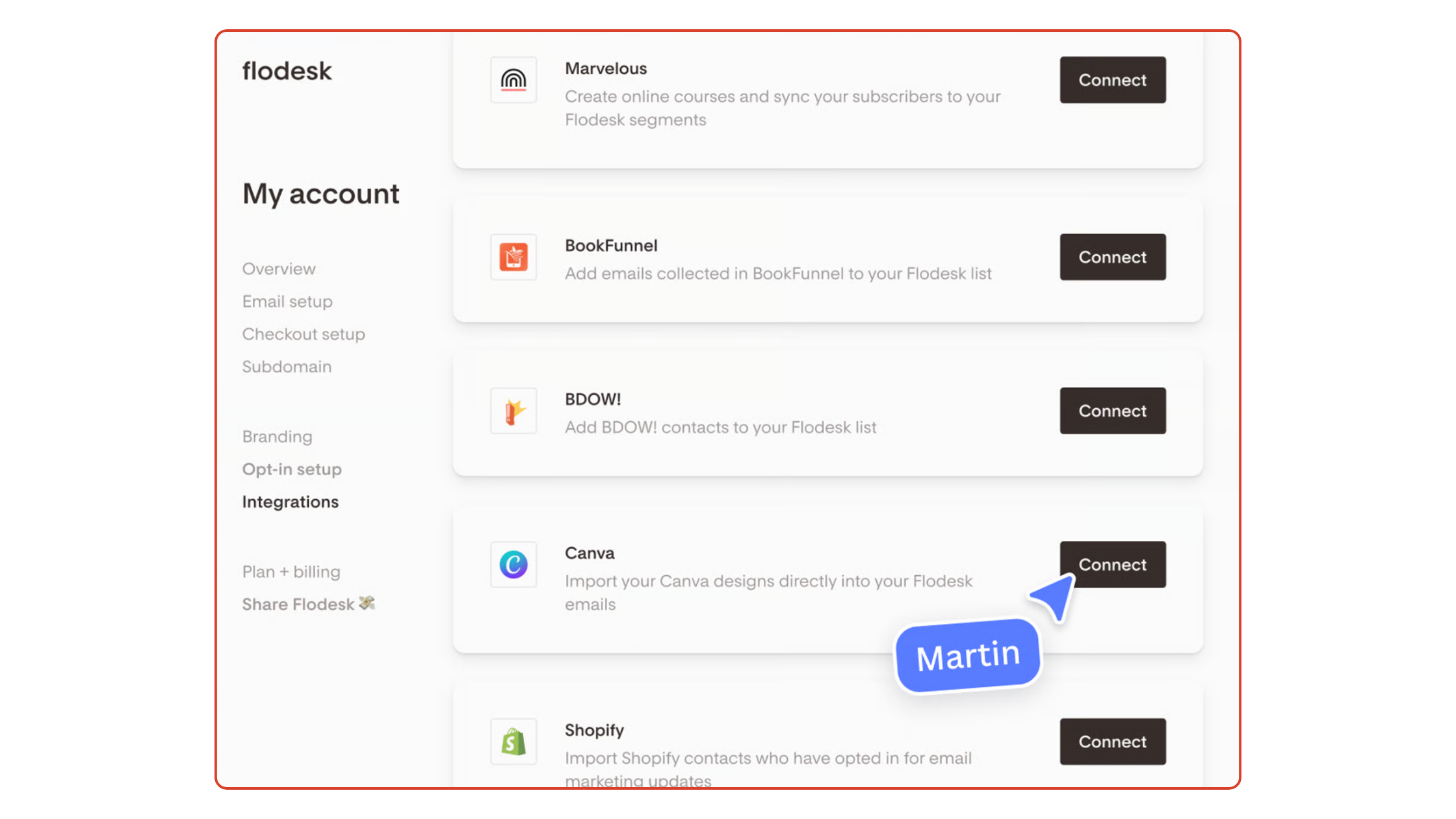
If you use Flodesk for email marketing, you're going to love this. The Canva Flodesk integration lets you design in Canva and send through Flodesk, all without downloading a single file or jumping between platforms.
Here's how it works. Inside your Flodesk email builder, you can browse and insert your Canva designs directly. Need to update the graphic? Hit Edit in Canva, make your changes, save, and the updated version automatically shows up in your Flodesk email. No re-uploading. No file management. No chasing the right version in your downloads folder.
For small business owners doing their own email marketing, this removes one of the most annoying parts of the whole process. Design it in Canva, send it in Flodesk. Your visuals and your emails stay consistent, and the back-and-forth between apps disappears.
You can use it for headers, custom buttons, dividers, promo graphics, lead magnet images, literally any Canva design you want to include in an email. And combined with Canva AI 2.0's brand intelligence, everything you pull into Flodesk will already be on-brand before you even open the email builder.
This is the kind of update that makes email marketing for small business owners feel genuinely doable instead of overwhelming. When your design tools and your email platform talk to each other, you spend less time on logistics and more time actually connecting with your audience.
Canva Offline: Design Without Wi-Fi
Canva Offline is exactly what it sounds like, and it's one of the most-requested features in Canva history. You can now open, edit, and create designs without an internet connection. Work with local image files, make edits, and everything syncs automatically once you're back online.
For anyone who creates content on the go, works from spotty Wi-Fi, or just finds themselves mid-edit when the internet decides to quit, this is a real fix. You're no longer waiting for a good connection to get your content done.
Canva Print Shop: Design It, Order It, Done
Canva also launched a fully reimagined Print Shop experience with more than 60 new products, including new categories and premium finishes. You can now browse, design, and place an order for physical products without ever leaving Canva.
This one is especially relevant for coaches, service providers, and digital business owners who occasionally need branded print materials, think business cards, workbooks, notepads, or event materials, but don't want to manage a whole separate workflow to get them made.
What This Means If You're a Your Template Club Member
Every one of these Canva Create 2026 updates stacks directly on top of what you're already doing inside Your Template Club. The 3,000+ templates in the library, the Trend Drops, the Monthly Content Packs, they all get more powerful as Canva's tools improve.
Brand Intelligence means you spend less time manually swapping fonts and colors when you grab a new template. Canva Offline means you can keep creating even when life gets in the way. The Canva Flodesk integration means your templates can go straight from the Your Template Club library to your email list without an extra step.
The goal of Your Template Club has always been to remove the friction between having great content and actually posting it. These Canva updates push that goal even further.
If you're not a member yet, this is a pretty good time to see what you've been missing. Your Template Club gives you instant access to 3,000+ Canva templates designed to look current, not cookie-cutter, plus Trend Drops inspired by what's working right now on Instagram, and a monthly content calendar so you always know what to post.
Ready to Make Content Creation Easier?
Your Template Club is the creative shortcut for small business owners who want their content to look polished, stay on-trend, and get done without the guesswork. With Canva Create 2026 raising the bar on what's possible inside Canva, there has never been a better time to have a library of done-for-you templates ready to customize and post.

Photo: KVC Photography
About Manu Muraro
Manu Muraro is the founder of Your Social Team, a content marketing brand helping small business owners grow through strategic email marketing and Instagram content.
She’s the creator of Your Template Club, one of the first Canva template subscriptions designed for Instagram, and the founder of Your Inbox Team, a weekly email marketing membership that helps entrepreneurs send consistent, high-converting emails in under 15 minutes.
Manu is also the creator of The Reelies Awards, the first award show celebrating Small Business Owners and Creators’ creativity and originality in Instagram Reels.
A former creative strategist at Cartoon Network, Manu brings award-winning experience to everything she creates — from viral Reels to done-for-you content that saves time and drives results.
👉 Follow Manu at Your Social Team on Instagram