
The Canva Flodesk Integration Is Here and It Changes Everything About Email Marketing Design
So you know that moment when a tool you already use gets an update that makes everything click? That is exactly what happened when Canva Create dropped the Canva Flodesk integration.
If you use Flodesk for your email marketing and Canva for your graphics (which, honestly, most of you do), this update is going to save you so much time. And if you have been on the fence about starting email marketing for your small business, this is one more reason the barrier just got lower.
What is Canva Create?
Canva Create is Canva's annual event where they announce their biggest product updates of the year. Think of it like an Apple keynote but for designers and small business owners. Canva Create 2026 just wrapped, and it was packed with announcements, from new AI tools to offline mode to expanded professional features.
But the update that caught our eye? The Canva Flodesk integration. Because for email marketing for small business owners, this one is genuinely useful right now, not someday in theory.
What is the Canva Flodesk integration, exactly?
Here is the short version: you can now browse, select, and import your Canva designs directly inside the Flodesk email builder. No downloading. No uploading. No switching back and forth between tabs.
Before this integration existed, the process looked something like this. You designed your email graphic in Canva. You downloaded it as a PNG. You went to Flodesk. You uploaded the file. You realized you had a typo in the graphic. You went back to Canva. Fixed it. Downloaded it again. Went back to Flodesk. Re-uploaded. Sound familiar?
Now? You just connect your Canva account to Flodesk once, and from that point forward, you can pull any of your Canva designs straight into your email without leaving Flodesk at all. And if you need to make a quick edit, you click "Edit in Canva," make your change, click "Return to Flodesk," and your updated design is right there waiting for you.
It is one of those updates that sounds small until you realize how much time you were spending doing something you did not have to do.
How to set it up
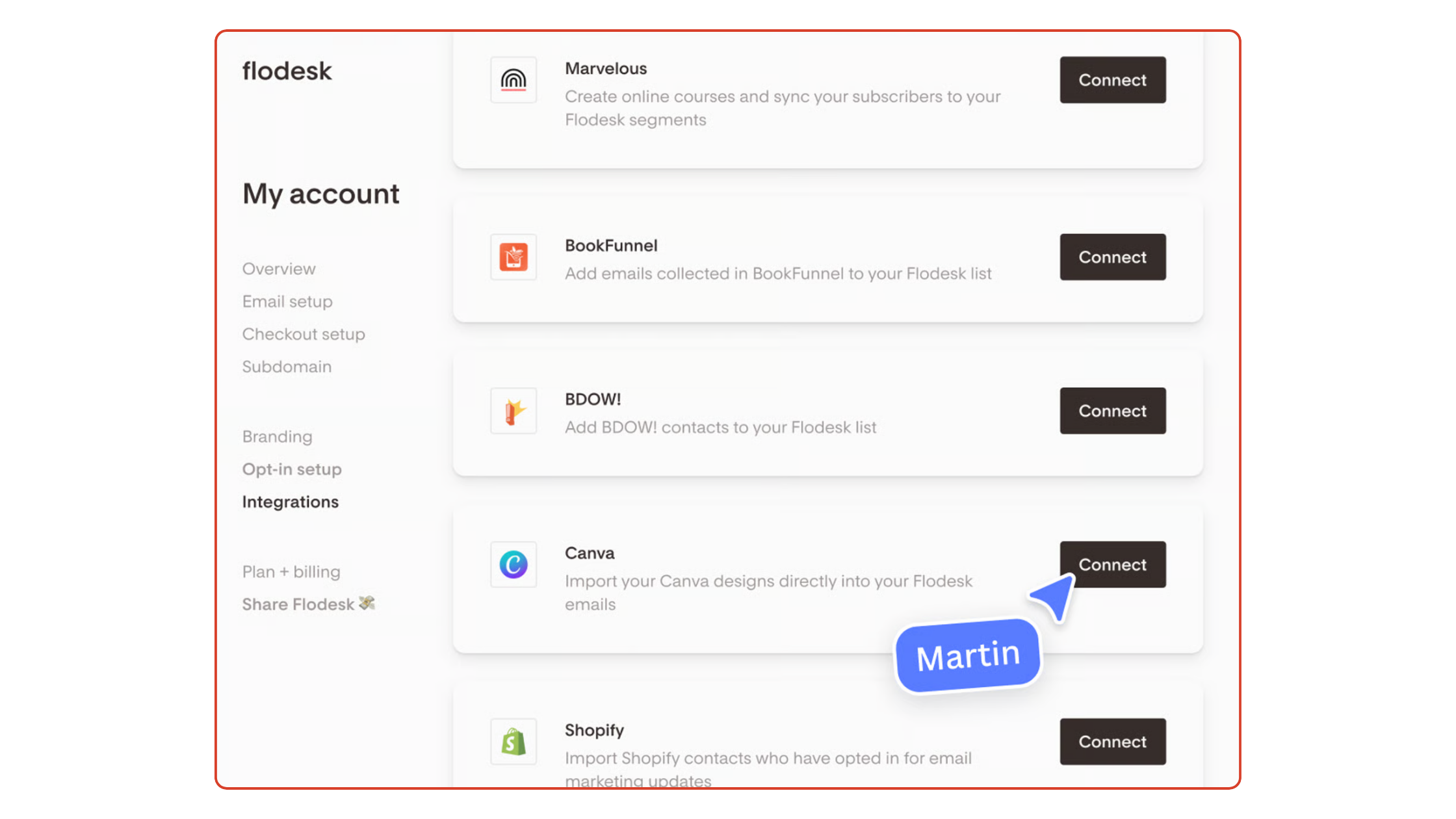
Setting this up takes about two minutes. Go to your Flodesk account, head to Account, then Integrations, and click Connect next to Canva. Log in to your Canva account when prompted and allow access. That is it.
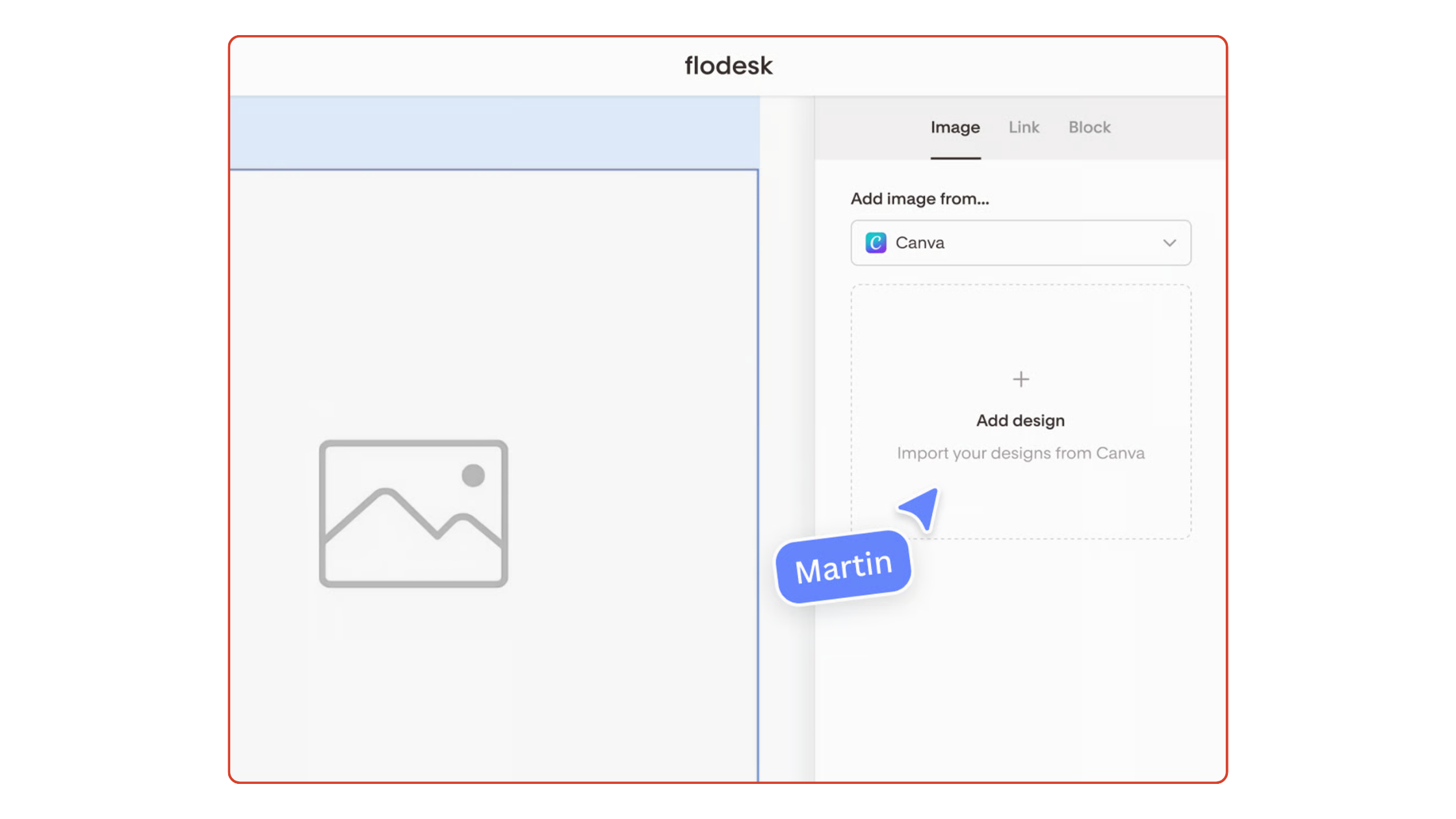
Once connected, any time you are building an email in Flodesk and you need to add an image, you will see the option to add it from Canva. You can choose from a design you already have or create a brand new one right then without ever leaving Flodesk.The integration is available to anyone with both a Canva and Flodesk account, and there is no extra cost to use it.
Why this matters for email design
Let us talk about what actually changes for your email design workflow when you use this integration.
First, consistency. One of the hardest things about email marketing for small business owners who are doing everything themselves is keeping things looking cohesive. When your graphics live in Canva and your emails live in Flodesk, it is easy for things to feel a little disjointed. This integration closes that gap. Your brand colors, your fonts, your visual style, all of it flows from Canva straight into your Flodesk emails without any friction.
Second, speed. The back and forth between tools is one of the main reasons people put off sending emails. When you remove that friction, you remove a big chunk of the reason to procrastinate. The faster and easier it is to put together a beautiful email, the more likely you are to actually send it. And consistency is the whole game with email marketing.
Third, customization. The Flodesk email builder is already beautiful and easy to use. But when you combine it with the full design flexibility of Canva, you can add custom headers, branded dividers, section images, and graphics that feel completely on point for your brand. Not just the stock look of whatever your email platform offers out of the box.
What this means if you are just starting out
If you are brand new to email marketing, or if you have a tiny list and have not been sending consistently, this update is good news for you too. One of the most common things we hear is that email feels complicated. Too many tools. Too many steps. Too many places where something can go wrong.
Canva and Flodesk are two of the most beginner-friendly tools out there for a reason. Canva makes design accessible to anyone, regardless of experience. Flodesk makes building beautiful emails genuinely easy. Connecting the two removes one more point of friction from the process.
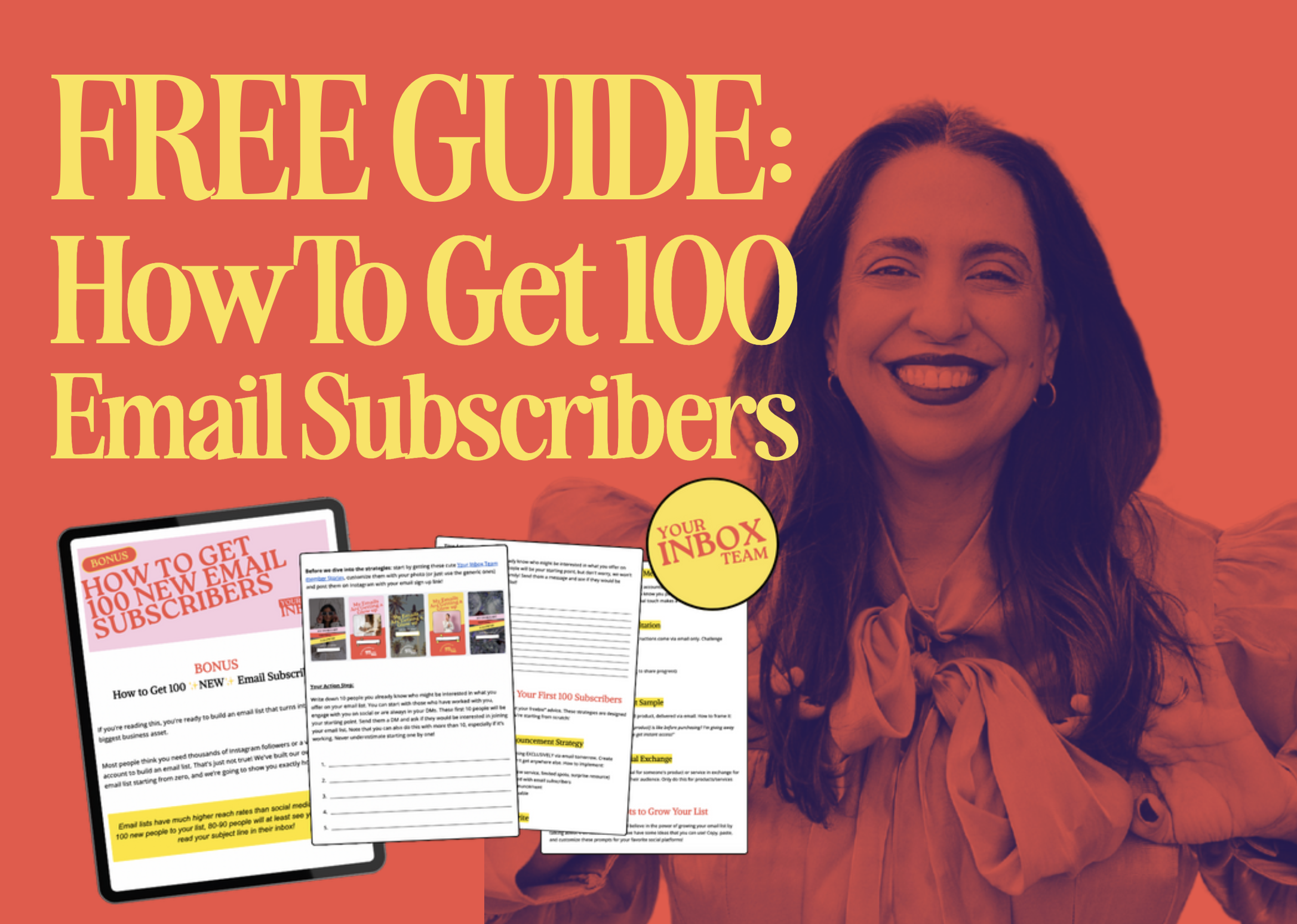
Speaking of getting started, if you are still building your email list, we have a free guide for exactly that. It is full of creative, practical ideas for getting your first (or next) 100 subscribers without needing a huge following or a big ad budget.
How to Get 100 New Email Subscribers
Creative, outside-the-box strategies to grow your list, even if you are starting from zero.
A few tips for using the integration well
A couple of things worth knowing before you dive in. First, the Canva images import as static images (PNG format), not editable text layers, inside Flodesk. So if you are using a graphic as a header or a visual element, that is perfect. If you want your email body copy to be editable text inside Flodesk, you will still want to add that directly in the Flodesk email builder rather than embedding it in a Canva graphic. This is actually a good practice anyway since text-based emails tend to land in inboxes more reliably.
Second, always preview your email on mobile before you send. Most people check their email on their phones, and a graphic that looks great on a desktop can sometimes look cramped or hard to read on a small screen. Canva and Flodesk both make it easy to preview, so just make that a quick habit before you hit send.
Third, if you use a team or have a virtual assistant helping with your email marketing, this integration is especially helpful. A designer or assistant can build graphics in Canva, and they will be right there waiting in Flodesk whenever you are ready to put the email together. No file sharing, no version confusion, no chasing down the right PNG.
Email marketing does not have to feel like a production
We know you are busy. We know email marketing is one of those things that keeps sliding to the bottom of the to-do list, not because you do not see the value but because it feels like one more thing to figure out.
Updates like this Canva Flodesk integration are a reminder that the tools are getting easier all the time. And with Your Inbox Team handling the actual content for you, the heavy lifting is already done. You just open the template, make it yours, and send.
Ready to stop ghosting your list?
That is what email marketing should feel like.
Low lift. Consistent. Completely doable, even on a busy week.
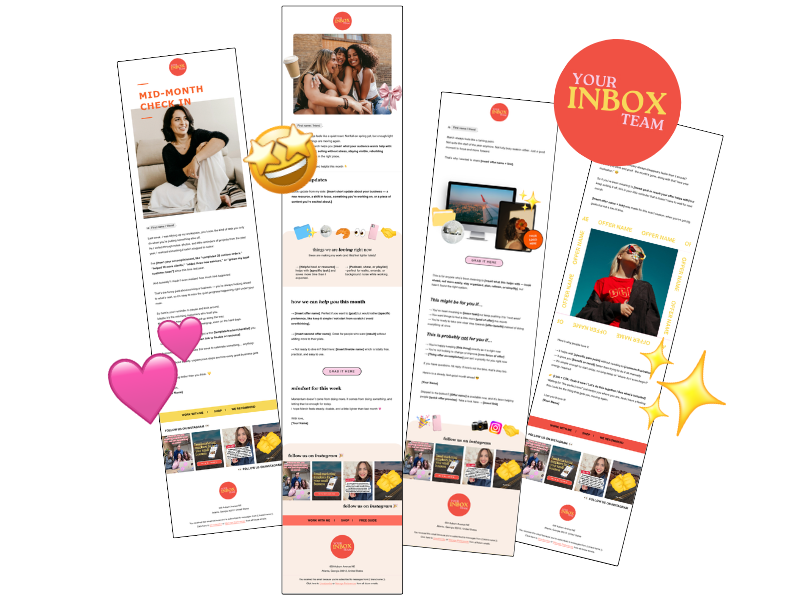
At Your Inbox Team, we deliver done-for-you weekly email newsletter templates every single month. That means on the first of every month, you get four email templates ready to go in Google Doc, Canva, and Flodesk formats. You customize the copy, swap in your photos, and send.
This new Canva Flodesk integration makes that process even smoother for our members. Your Canva templates are already in your Canva account. Your Flodesk templates are already waiting in Flodesk. Now, with the integration in place, you can move between them seamlessly and have your email looking beautiful in a fraction of the time.

Photo: KVC Photography
About Manu Muraro
Manu Muraro is the founder of Your Social Team, a content marketing brand helping small business owners grow through strategic email marketing and Instagram content.
She’s the creator of Your Template Club, one of the first Canva template subscriptions designed for Instagram, and the founder of Your Inbox Team, a weekly email marketing membership that helps entrepreneurs send consistent, high-converting emails in under 15 minutes.
Manu is also the creator of The Reelies Awards, the first award show celebrating Small Business Owners and Creators’ creativity and originality in Instagram Reels.
A former creative strategist at Cartoon Network, Manu brings award-winning experience to everything she creates — from viral Reels to done-for-you content that saves time and drives results.
👉 Follow Manu at Your Social Team on Instagram